Hornet Studio works with a wide variety of printers and materials. Configuring these is the first step to every Hornet project.
You can also watch our video on custom printers and materials to learn more:

Hornet Studio works with a wide variety of printers and materials. Configuring these is the first step to every Hornet project.
You can also watch our video on custom printers and materials to learn more:
When creating a new project, the first step is to configure your printer and material settings:
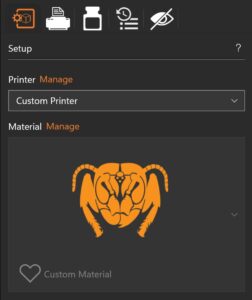
Selecting custom printer or custom material will provide access to additional settings in the right sidebar.

Dependent on the installed packages there might be different sets of printers available.
By default, there are no printers installed. You can define your own printer defined on the needed output format:
Save your printer by choosing a name and short name, selecting the output format and dimensions of the printing platform and export the package.

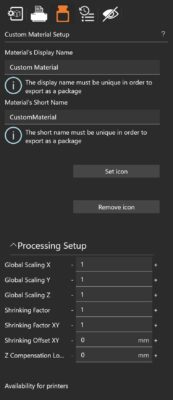
Similarly, the material setup allows for very granular control over each and every parameter.
For custom materials, the availability for different printers can be set as well.
The properties shown in this screen are dependent on the output format.
All properties that usually can be changed for the selected format are listed here.
The values shown in the text boxes are the default values for the printer and can be overriden for the material.
Assign the printers the material is eligible for and export the package to make it available for further use.